Columnar Narration for Tally
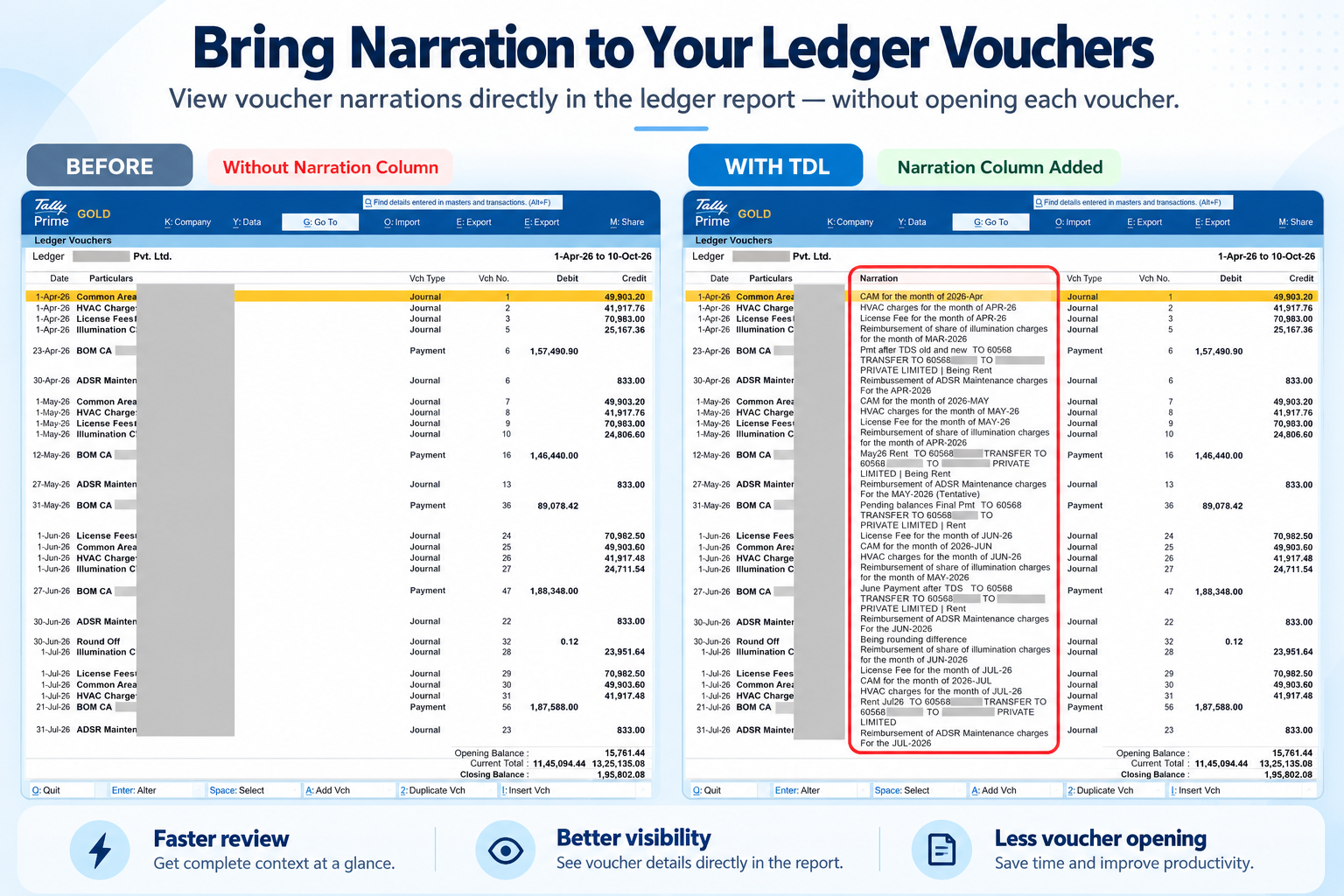
Display narrations directly in your Ledger Vouchers view. Simple, powerful, and free.
Why You'll Love It
A smarter way to view narrations in Tally
See Narrations Instantly
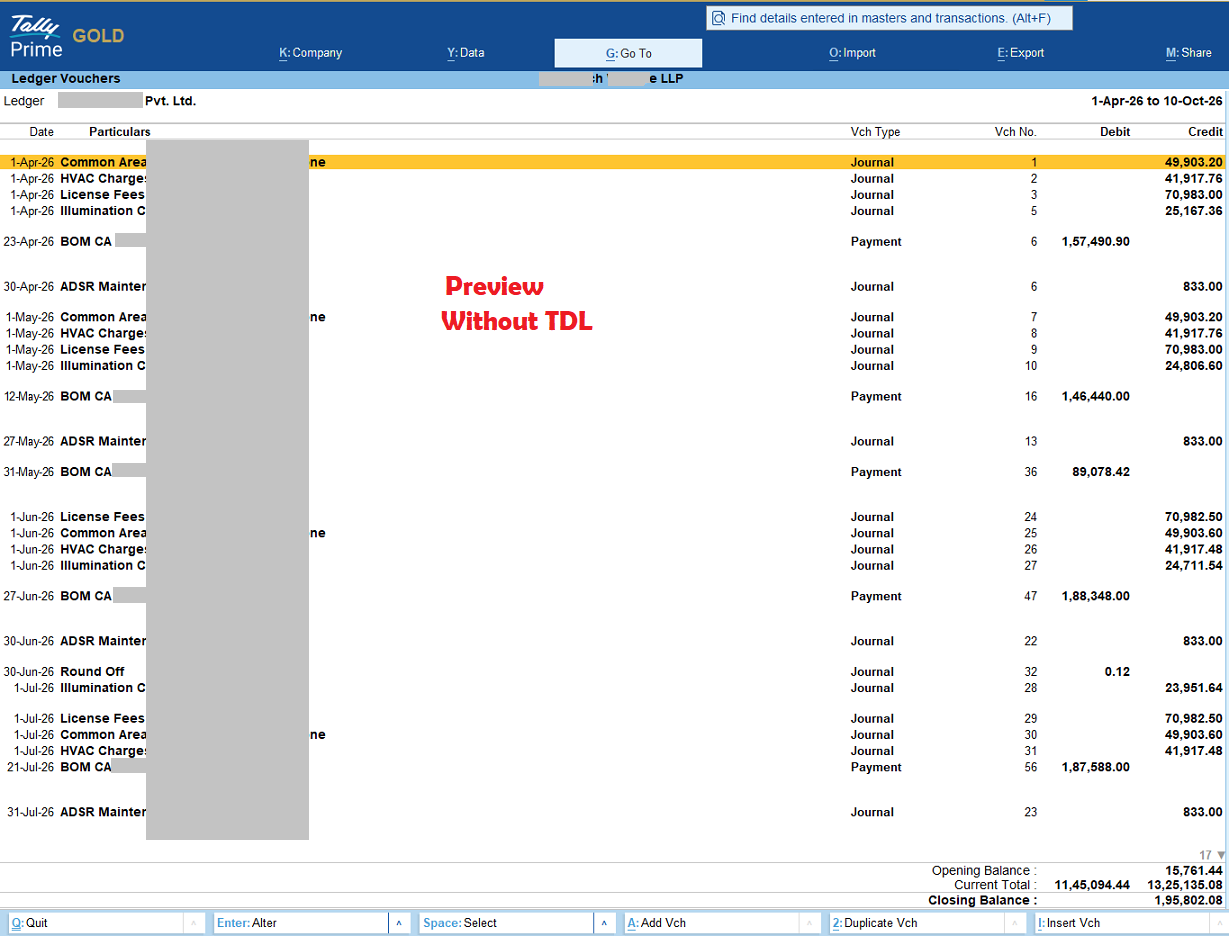
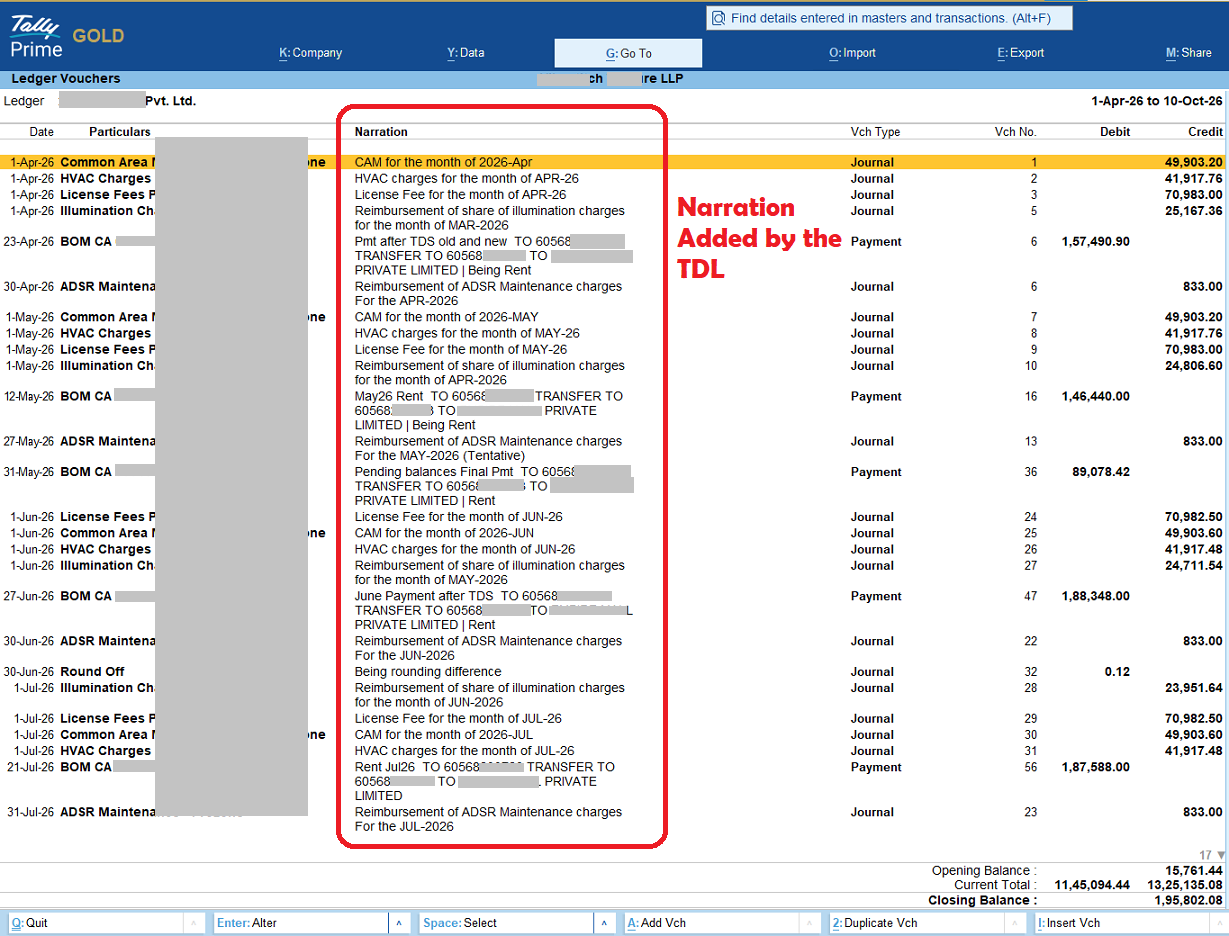
No more clicking to view narrations. See them right in your ledger view at a glance.
Easy Installation
Simple TDL file. Load it in Tally and you're done. Works with your existing data.
Perfectly Positioned
Narrations appear right after Particulars, exactly where you expect them.
For All User Types
Perfect for CAs, CMAs, Tax Practitioners, and business owners managing accounts.
Mobile Friendly
Works seamlessly on desktops and tablets. Responsive column widths adjust automatically.
Configurable
Adjust column width, toggle visibility, and customize to your workflow.
Key Benefits
Why accountants and bookkeepers trust Columnar Narration
Save Time: No more jumping between windows to see narrations
Audit Ready: Complete narration visibility for compliance checks
Better Reports: Export ledgers with narrations already included
Zero Cost: Completely free. No hidden charges or subscriptions
Data Safe: Local TDL modification. Your data stays in Tally
No Conflicts: Works alongside all existing Tally features
Specifications
Built with care for Tally Prime
Ready to Simplify Your Ledger View?
Download the free TDL and transform how you work with narrations.
How to Use?
- Register for the TDL - Fill the form and get your Tally serial number registered
- Download the TDL file - Get the C-Narration.tcp file from your download link
- Open Tally - Launch Tally with the serial number you registered
- Go to Help (F1) - Press F1 to open Help menu
- Click TDL's & Addons (O) - Navigate to TDL's & Addons option
- Manage Local TDL (F4) - Open Local TDL management
- Add the TDL - Browse and select C-Narration.tcp file to add
- View Narrations - Open any Ledger and you will see narrations in the column view
Get Your Free TDL
Fill in your details to download Columnar Narration
Welcome!
Your information has been verified. Your Columnar Narration TDL is ready to download.
Check your email for setup instructions and support information
Columnar Narration for Tally Prime • Made for accountants, by accountants
© 2026 TaxGlobe. All rights reserved.
Reviews
There are no reviews yet.